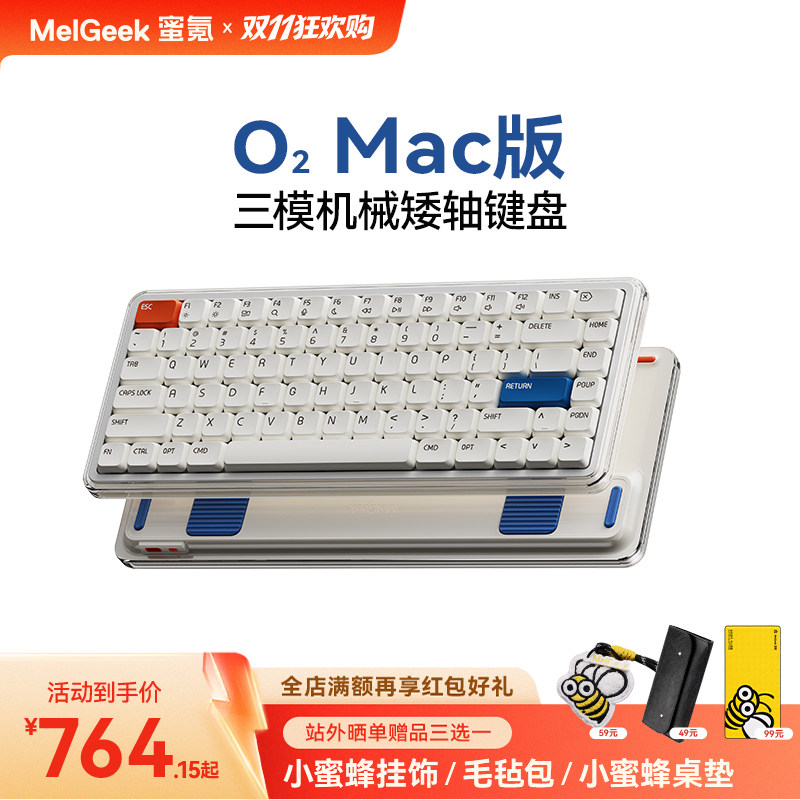
MelGeek O2 low-profile mechanical keyboard, Mac version, three ways to connect: check the layout and how you pair it before you buy
This is the Mac version of the MelGeek O2, a low-profile mechanical keyboard that connects over Bluetooth, a 2.4 GHz dongle or a cable. The Mac version matters for the key legends and the modifier row, so if you move between macOS and Windows, ask which of the two the seller is shipping and check that the layout matches the shortcuts you actually use. Low-profile switches sit closer to the desk than a standard mechanical board: travel is shorter and the keyboard is thin enough to carry, but ordinary keycaps will not fit it. Pairing works differently per mode, with Bluetooth needing the board in pairing state and a free slot, the dongle needing a spare USB-A port, and the cable as the fallback when the 2.4 GHz band is crowded. What it will not do is stand in for a full-size board with a number pad, and battery life, switch type and the exact layout are for the seller to confirm.